How does Apple Watch beta test AI conversation capture and rewind in iOS 27.3?
Developers can now test Audio Intelligence features that transcribe recent speech, with automatic deletion and visible privacy signals.
Key points
- iOS 27.3 beta introduces Live Rewind and Siri Recaps for Apple Watch Series 12.
- Live Rewind displays text snippets of the last 15 seconds of audio upon double-pressing the crown.
- Saved snippets persist in Siri; unsaved ones delete automatically after 30 seconds.
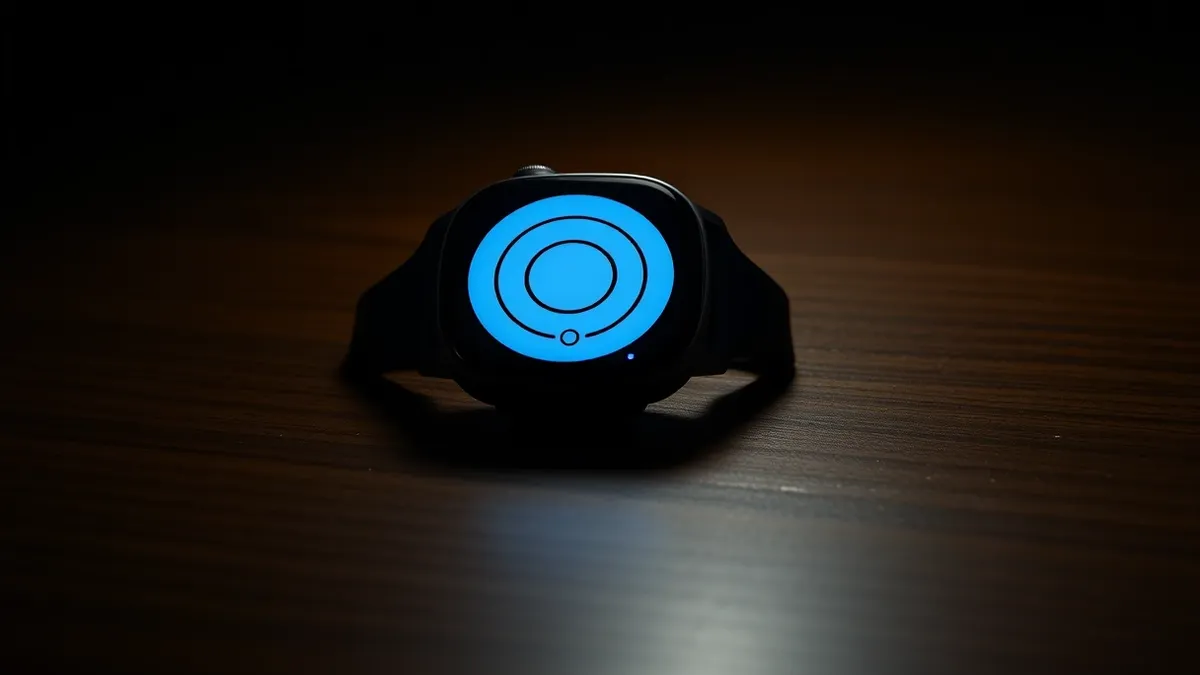
TechCrunch reported that Apple’s Audio Intelligence features are now in beta testing for developers within the iOS 27.3 update.reported This rollout follows the initial announcement at the company’s September hardware event.Apple is testing new AI tools on the Watch that let you hear what you just missed.The iOS 27.3 beta exposes Audio Intelligence APIs for ephemeral speech transcription and persistence. The technology targets Apple Watch Series 12 users and includes four opt-in capabilities: sound detection, song identification, conversation catch-up, and note-taking.reported
Evidence: reported
Apple Watch’s AI features for rewinding and recapping conversations begin beta testingaifleet-techcrunch-all
Evidence: reported
Apple Watch’s AI features for rewinding and recapping conversations begin beta testingaifleet-techcrunch-all
The announcement
The Live Rewind feature allows users to double-press the digital crown to see a text snippet of what was said in the previous 15 seconds.reported An audible chime and visual animation signal to others that recording is active. Users can save these snippets to the Siri app for later access or let them disappear.
Evidence: reported
Apple Watch’s AI features for rewinding and recapping conversations begin beta testingaifleet-techcrunch-all
The context
Apple designed these features to address privacy concerns associated with AI wearables, following backlash against devices like Meta’s AI glasses. The system uses visible and audible cues to notify people when speech is being captured. This approach aims to balance utility for the user with respect for the privacy of those around them.
Reading between the lines
The automatic deletion of unsaved snippets after 30 seconds suggests a design priority on ephemeral data handling. The requirement for explicit user action to save data indicates that continuous background recording is not the default behavior. These mechanics appear intended to mitigate the privacy controversies surrounding ambient audio capture technologies.
The business case
The features are restricted to Apple Watch Series 12 hardware, tying the utility of these AI capabilities directly to Apple’s device ecosystem.reported There is no evidence in the source material regarding cost structures, licensing fees, or vendor choice implications for third-party developers beyond the iOS platform. Market positioning for these specific AI tools remains unquantified in the available reports.reported
Evidence: reported
Apple Watch’s AI features for rewinding and recapping conversations begin beta testingaifleet-techcrunch-all
Why it matters
- Developers must account for the 15-second window limitation when designing apps that rely on Live Rewind data.
- The opt-in nature of Audio Intelligence features means user adoption may vary, affecting data availability for integrated services.
- Privacy signals like chimes and animations are mandatory, influencing how developers design user interactions during active capture.
- Integration with the standalone Siri app provides a storage pathway, but unsaved data is lost after 30 seconds, limiting long-term archival options.
Topics: Apple, wearables, AI privacy, iOS 27.3, Audio Intelligence
Updated
Then / now / next
Apple announced Audio Intelligence features at its September hardware event.
Developers can test these features in the iOS 27.3 beta.
Monitor for public release dates and potential privacy regulation responses.
Story timeline
- Then Apple announced Audio Intelligence features at its September hardware event.
- 03 Nov 2026 Apple Watch’s AI features for rewinding and recapping conversations begin beta testing
- Now Developers can test these features in the iOS 27.3 beta.
- Next Monitor for public release dates and potential privacy regulation responses.
The strongest doubt
Counterpoint from the sources
Backlash against similar AI recording devices from competitors like Meta has raised privacy concerns that Apple attempts to address with these safeguards.
For readers
Developers
- Build apps that integrate with Siri for saved snippet access.
- Design UX around the 15-second rewind window and audible chimes.
Consumers
- Opt-in required for all Audio Intelligence features.
- Privacy signals notify others when conversation capture is active.
Policy
- Apple’s visible recording indicators may set precedents for wearable privacy standards.
Numbers in context
Circle area is proportional to the magnitude; labels retain signs. Figures may describe different measures. Read their contexts above.Ask the article
Local keyword search of this article; no generated answers.Did this article give you the evidence you needed?
Your choice stays on this device. No public tally.Questions readers ask
What devices support Audio Intelligence beta features?
The features are available on Apple Watch Series 12 paired with an iOS 27.3 device.
How long is the audio window for Live Rewind?
Live Rewind captures the last 15 seconds of audio as a text snippet.
Is the audio recording continuous?
No, users must double-press the digital crown to trigger the rewind function.
Connected stories
Reading receipt
- iOS 27.3 beta introduces Live Rewind and Siri Recaps for Apple Watch Series 12.
- Live Rewind displays text snippets of the last 15 seconds of audio upon double-pressing the crown.
- Saved snippets persist in Siri; unsaved ones delete automatically after 30 seconds.
Still open: Will these features be available on older Apple Watch models?
Still open: How will regulatory bodies respond to the 15-second capture window?